Find a course and assign it to a class
Browse the course Catalog, then give your class a whole course or one of its modules as a Quest.
On CodeTribe, an assignment is called a Quest. Your class's Quests show on the class page.
Browse the courses
- In the sidebar, select Catalog. It lists all the official courses.
- On a course, select Explore to see its modules.

Assign a course or a module
- Open your class: in the sidebar, under TRIBES, select it.
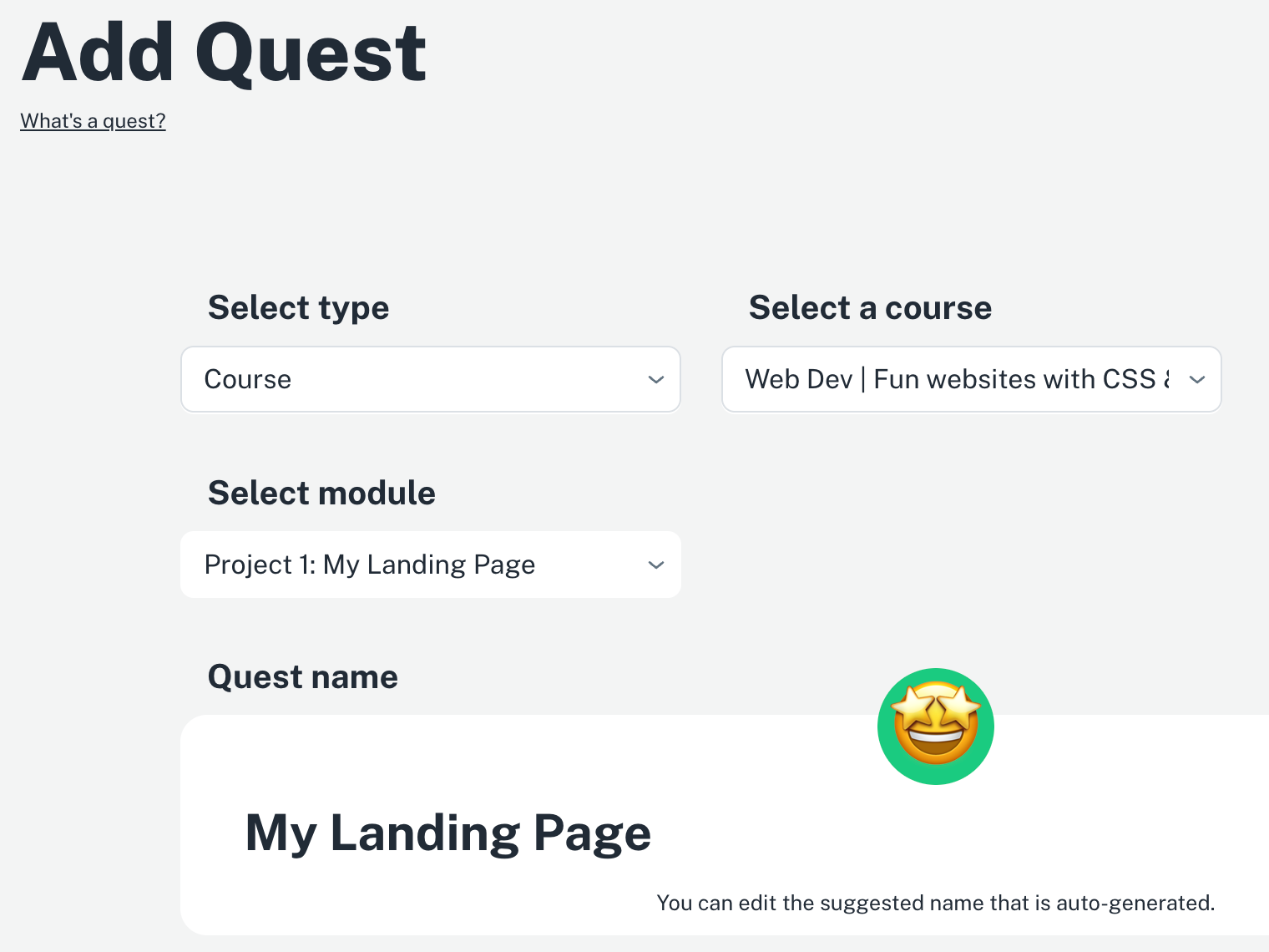
- On the Quests tab, select Add Quest, then Assign from Catalog.

- Under Select a course, choose the course.
- Under Select module, choose one module, or leave All modules to assign the whole course.
- Optionally, change the Quest name. CodeTribe suggests one for you.
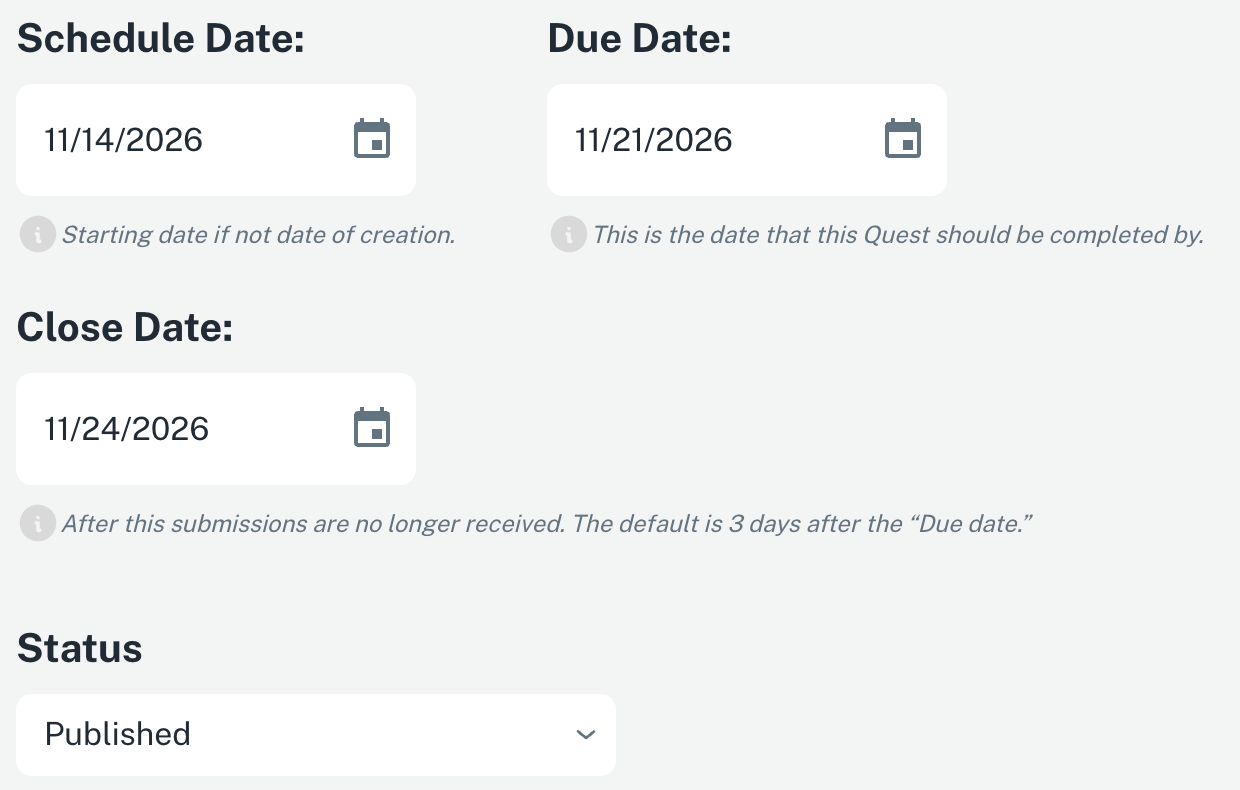
- Optionally, select the Settings tab and change the Due Date. Keep Status at Published.
- Select Launch. The Quest shows on the class's Quests tab, with its due date.
