Save a project to your Gallery
Save your code as a project, just for you or for anyone to see, and find it again in your Gallery.
Your Gallery has two folders: Private, which only you can see, and Public, which anyone can see.
Save a project
- In the code panel, point at the upload icon at the top right. A column of buttons opens below it:
- Save to 'My Folder' saves the project to your Private folder.
- Publish to Gallery saves it to your Public folder.
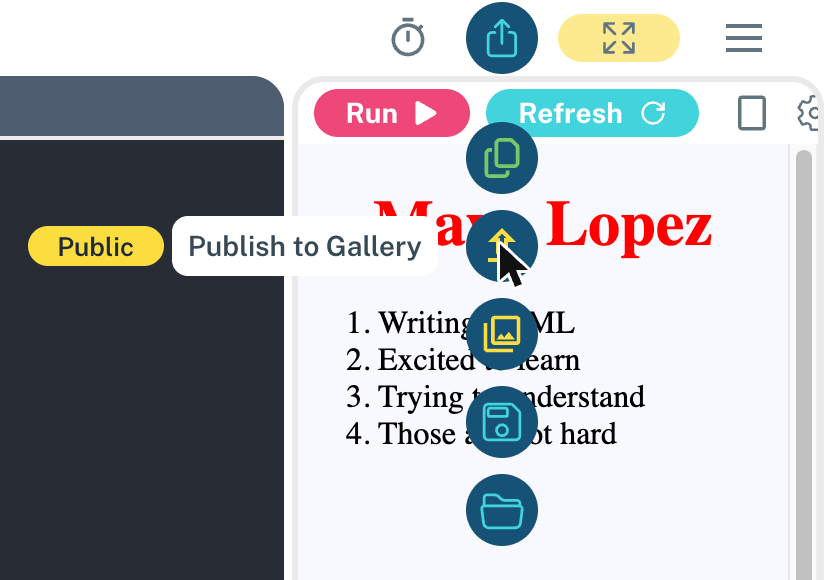
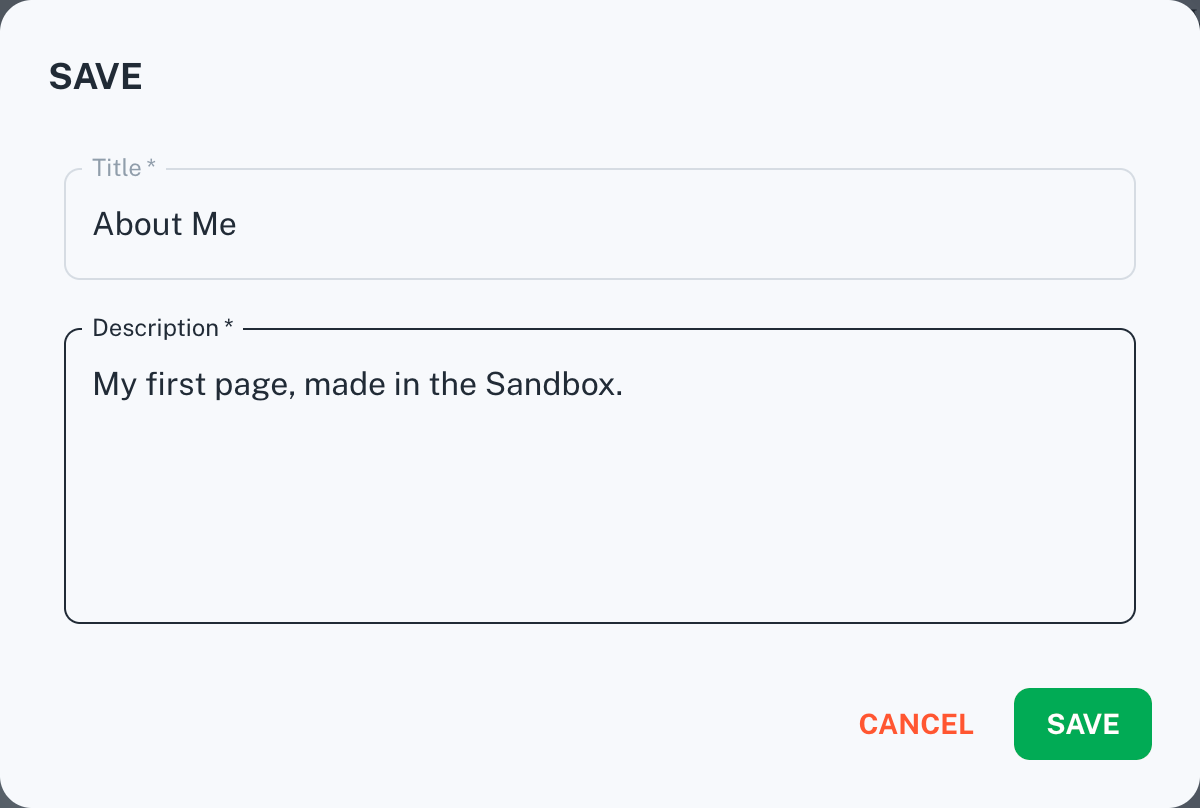
- Select one of them. Type a Title and a Description, then select SAVE. CodeTribe says Added successfully!
Find your projects
- In the sidebar, select Gallery. It shows your two folders, and how many projects are in each one.
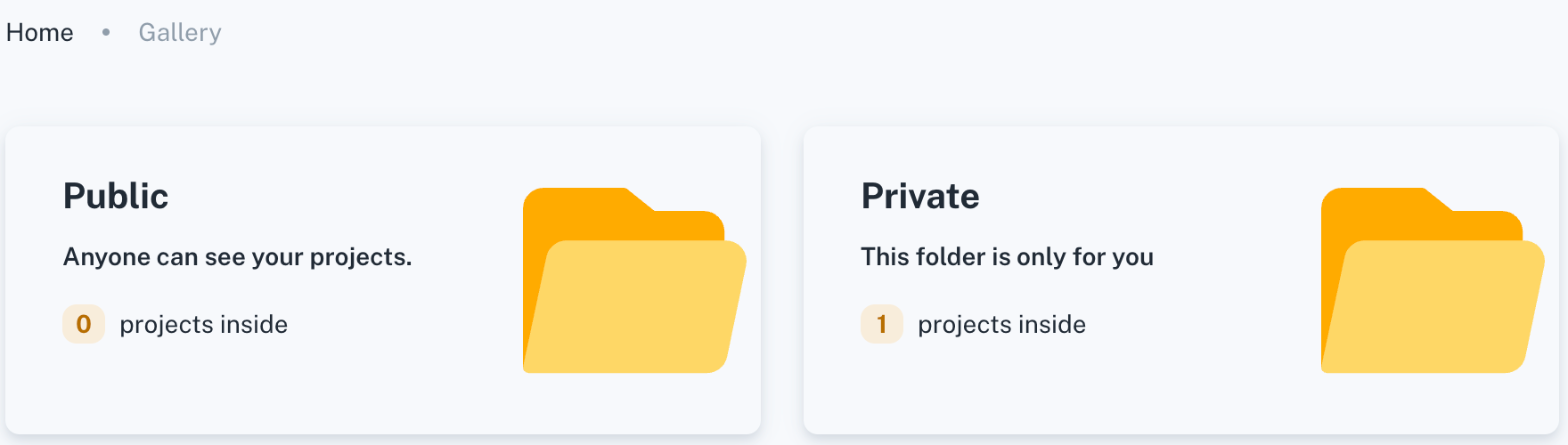
- Select a folder to see its projects.
- Select a project to open it. Browser shows the page it makes, and Code shows its code.
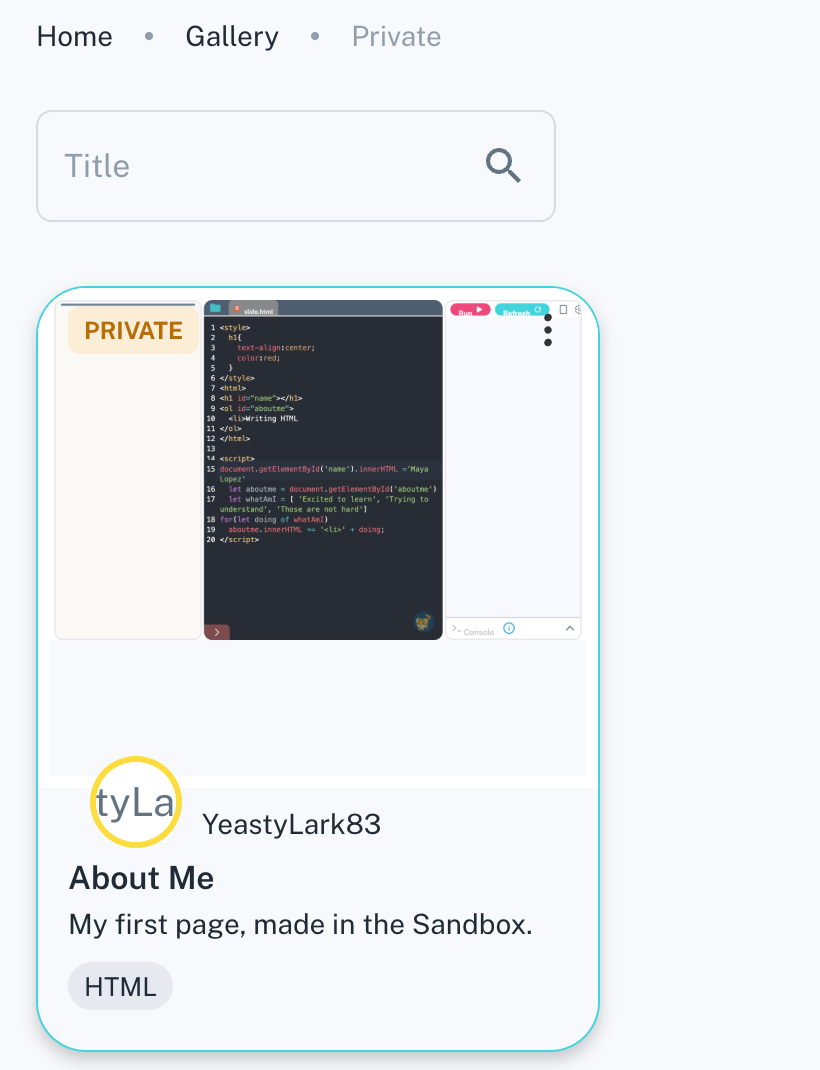
From the code panel, Open 'My Folder', under the upload icon, also opens your Private folder.